W.hatsApp无法使用,2018最新使用W.hatsApp方法

 时间:2026-05-04 04:24:37

1、现在我们打开app注册是无法提交注册信息的,如图

W.hatsApp无法使用,2018最新使用W.hatsApp方法

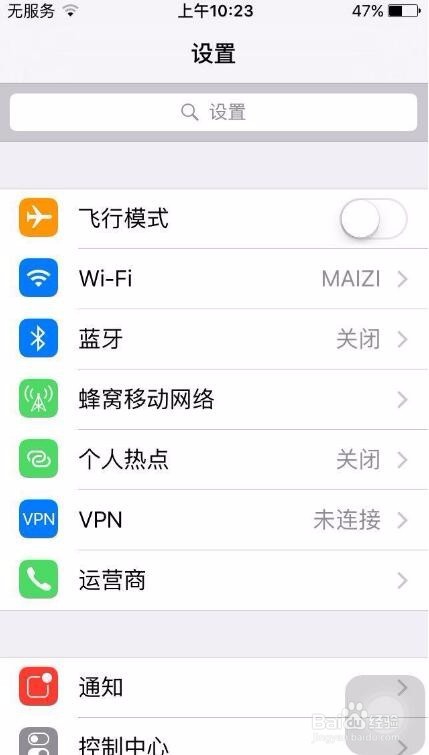
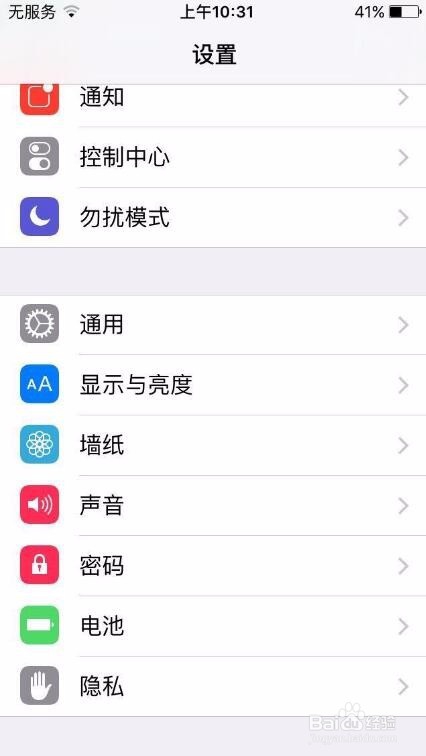
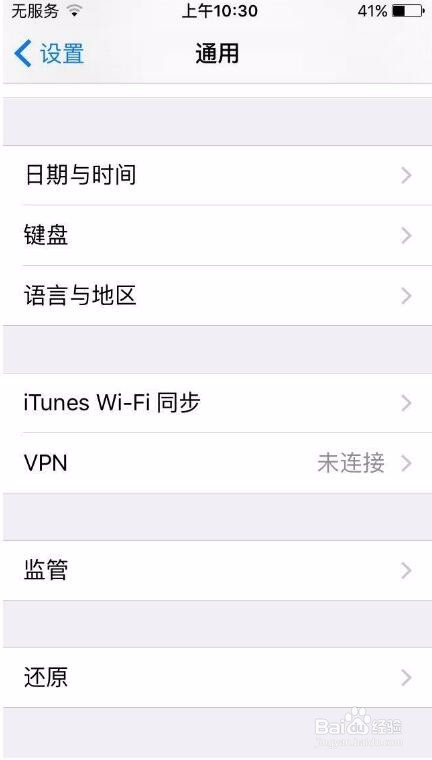
2、首先,我们进入手机设置-通用界面

W.hatsApp无法使用,2018最新使用W.hatsApp方法

W.hatsApp无法使用,2018最新使用W.hatsApp方法

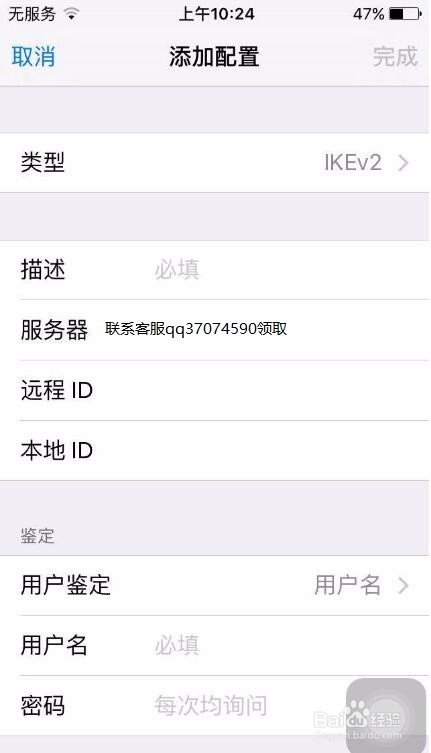
3、然后选择选项,选择添加配置信息,然后输入描述,目标地址和远程ID和账号密码之后,点保存
W.hatsApp无法使用,2018最新使用W.hatsApp方法

W.hatsApp无法使用,2018最新使用W.hatsApp方法

W.hatsApp无法使用,2018最新使用W.hatsApp方法

4、此时提示正在连接中,连接上之后,手机上方会提示相应的图标

W.hatsApp无法使用,2018最新使用W.hatsApp方法

5、此时我们打开app,输入注册信息,提交注册。

W.hatsApp无法使用,2018最新使用W.hatsApp方法

W.hatsApp无法使用,2018最新使用W.hatsApp方法

6、注册成功之后,我们就能正常的使用这个软件了哦

W.hatsApp无法使用,2018最新使用W.hatsApp方法

W.hatsApp无法使用,2018最新使用W.hatsApp方法

  • 毛遂自荐书怎么写
  • 如何消除马赛克?
  • 手机消除马赛克
  • 手机如何消除马赛克
  • 图片马赛克怎样除去
  • 热门搜索
    银川旅游景点大全 临夏旅游 厦门旅游地图 观光旅游 宁波旅游攻略 大庆旅游 长江三峡旅游 上海邮轮旅游 乌兰察布旅游 河北旅游景点排行